
workflow://UC-24
6 steps
PDF & file workflows
Translate Multiple Documents With AI
Translate a folder of PDF, DOCX, TXT, or Markdown documents with a chosen AI provider and save every result locally for human review.
BT
Translate folders of documents into one or more languages with your own provider.
Batch Translate Text with any AI turns a folder of documents into a managed translation run. Choose the target languages, provider, and model, then review the saved results before they become public editions.
what_it_does
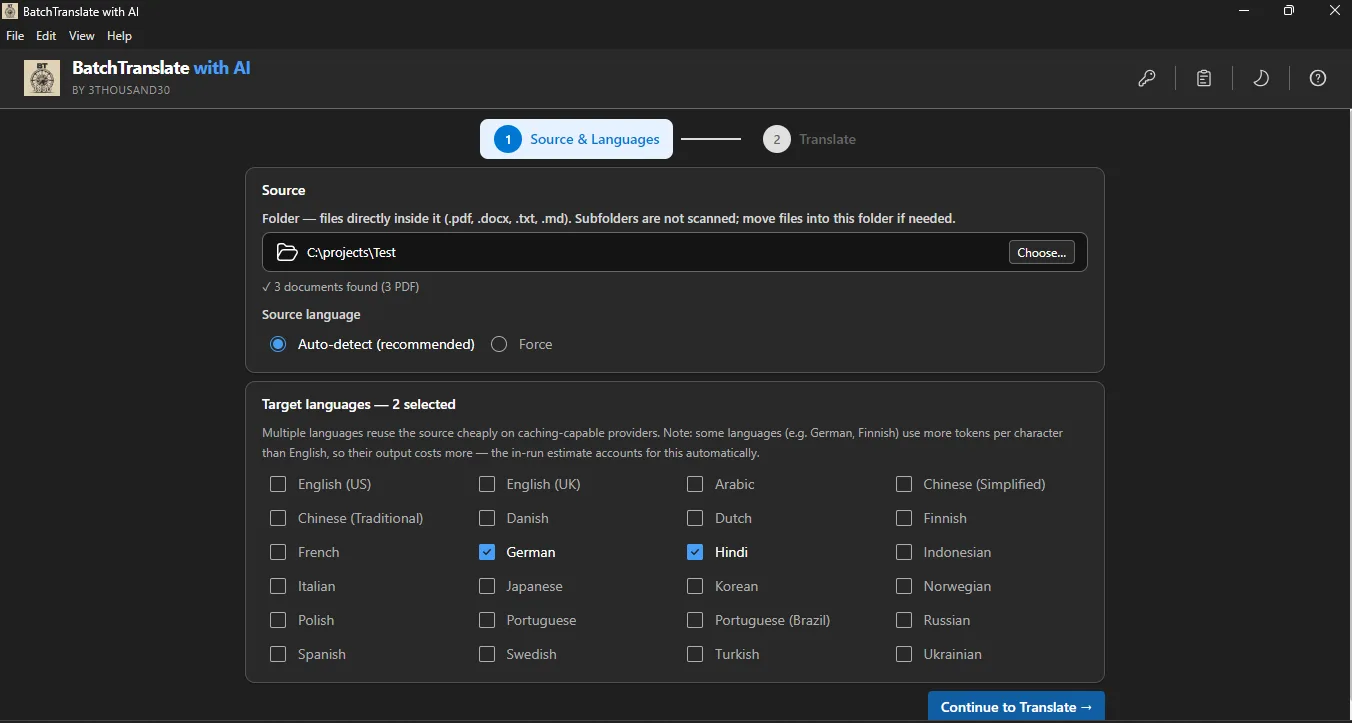
Process PDF, DOCX, TXT, and Markdown files
Translate a batch into one or more target languages
Choose your own provider and model
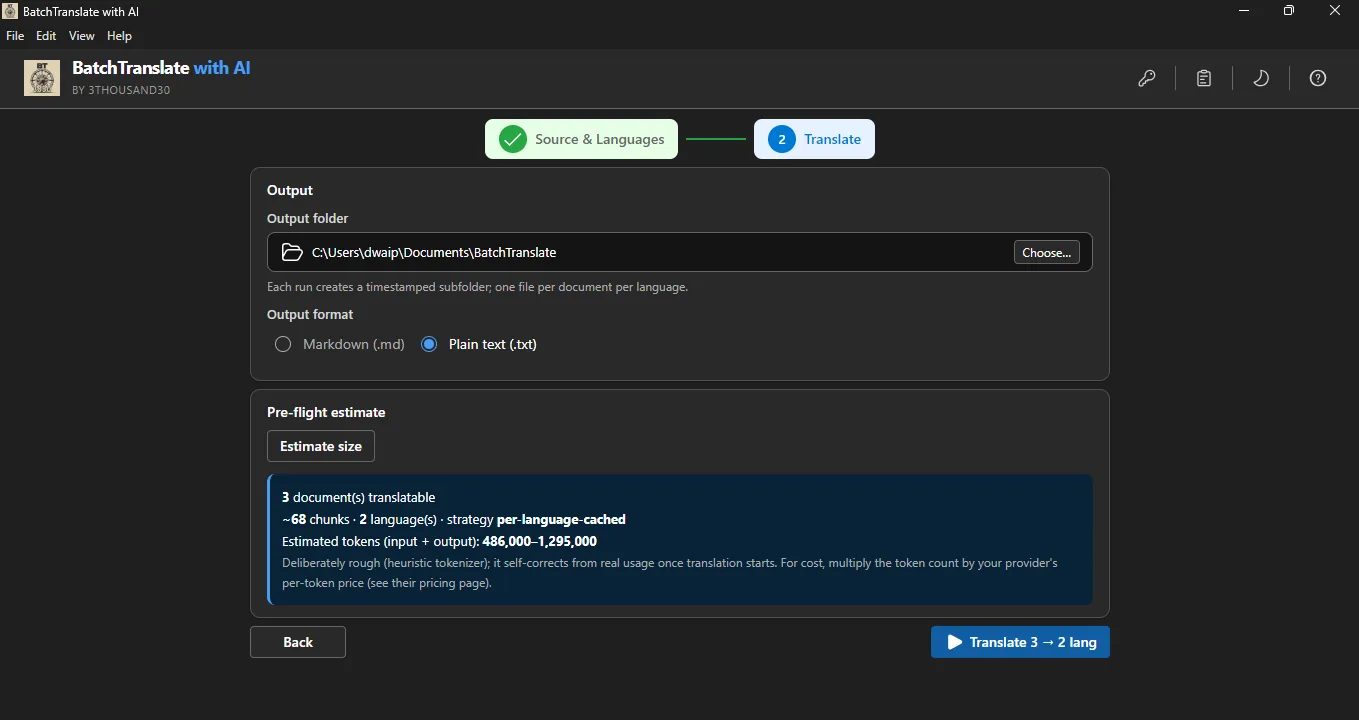
Save provider configurations for repeat work
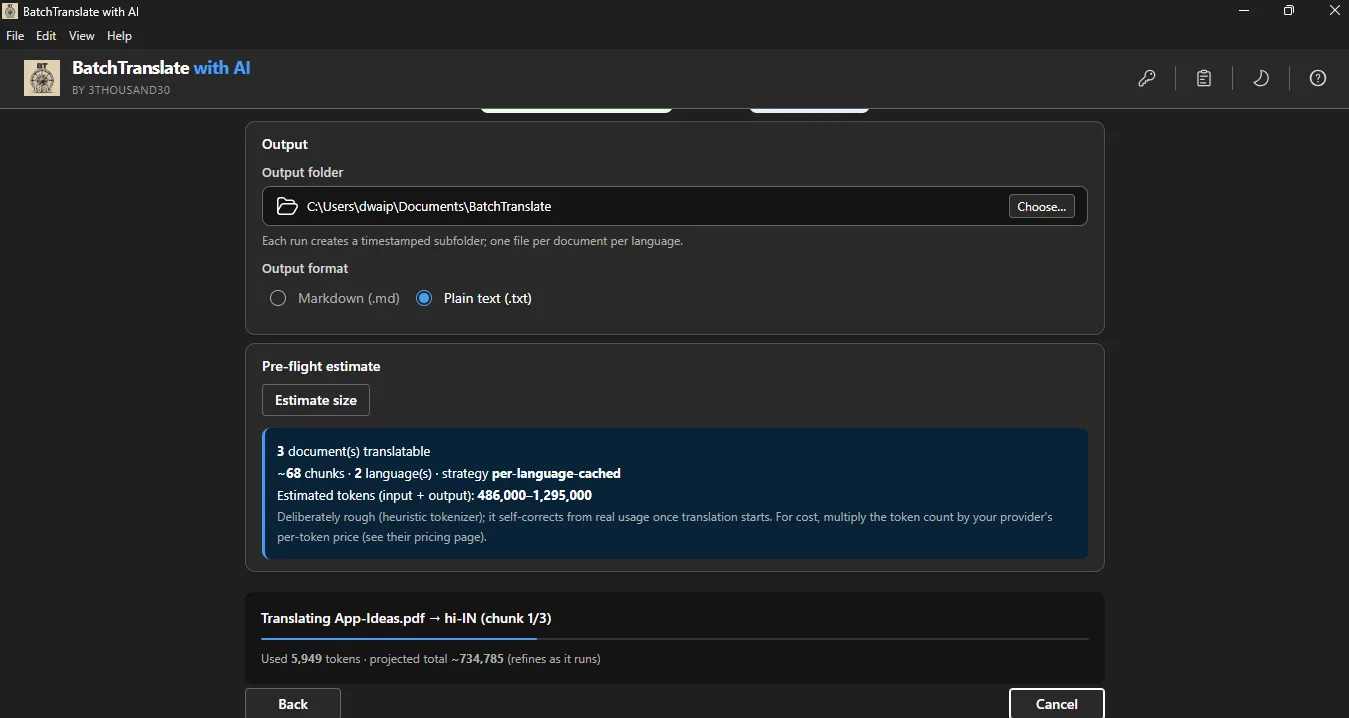
Track progress across the folder
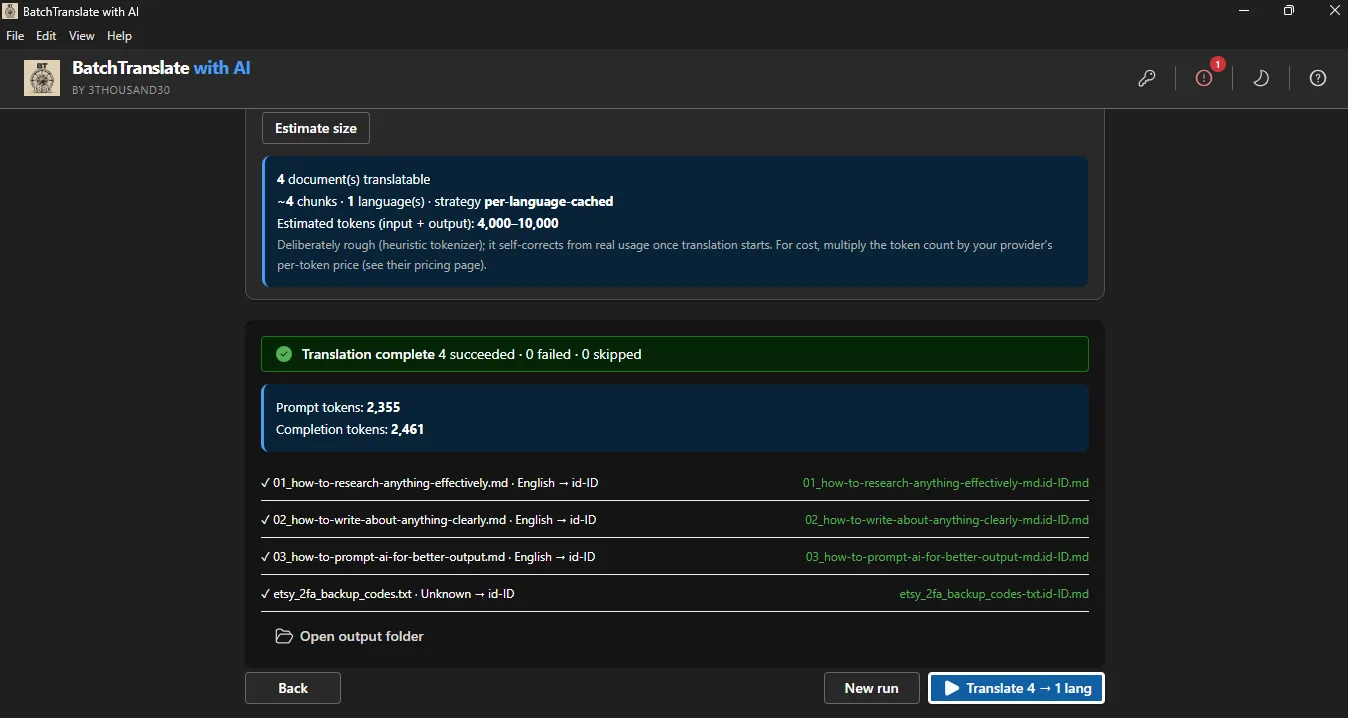
Store every translated result locally
inside_the_app
who_it_is_for
privacy_and_control
Source content is sent to the external AI provider you select for translation. Keys are encrypted locally and the translated files are saved on your PC.
use_it_for
PDF & file workflows
Translate a folder of PDF, DOCX, TXT, or Markdown documents with a chosen AI provider and save every result locally for human review.
Books & publishing
Translate a finished document set into multiple languages while keeping review, naming, and edition control visible.
Books & publishing
Translate a complete manuscript, review it as a new edition, and rebuild a language-specific print or digital book.
faq
It supports PDF, DOCX, TXT, and Markdown sources stored in local folders.
Yes. Names, tone, formatting, terminology, and culturally sensitive wording need human review before publication.
No. The selected AI provider receives the translation request; 3thousand30 does not add another cloud-storage layer.
ready_when_you_are
US Store price: $14.99 (-25%), normally $19.99. Regional pricing may differ.
related_products

AI creation
Bulk AI writing for Windows with reusable personas, sample analysis, CSV topic lists, multiple providers, and local Markdown or text outputs.
Local PDF utility
A local Windows batch PDF maker with flexible page sizes, Markdown rendering, multilingual colour emoji, image pairing, text-over-background pages, combined output, and page numbering.
Local PDF utility
A lightweight local PDF merger for Windows with alphabetical ordering, folder-based output naming, optional page numbers, progress, and skip-existing support.
 tool
tool