
workflow://UC-26
6 steps
PDF & file workflows
Split Multiple PDFs Into Separate Pages
Turn every PDF in a Windows folder into predictably named single-page files without uploading the documents or opening them one by one.
BSP
Split one PDF or a whole folder into pages or fixed-size chunks locally.
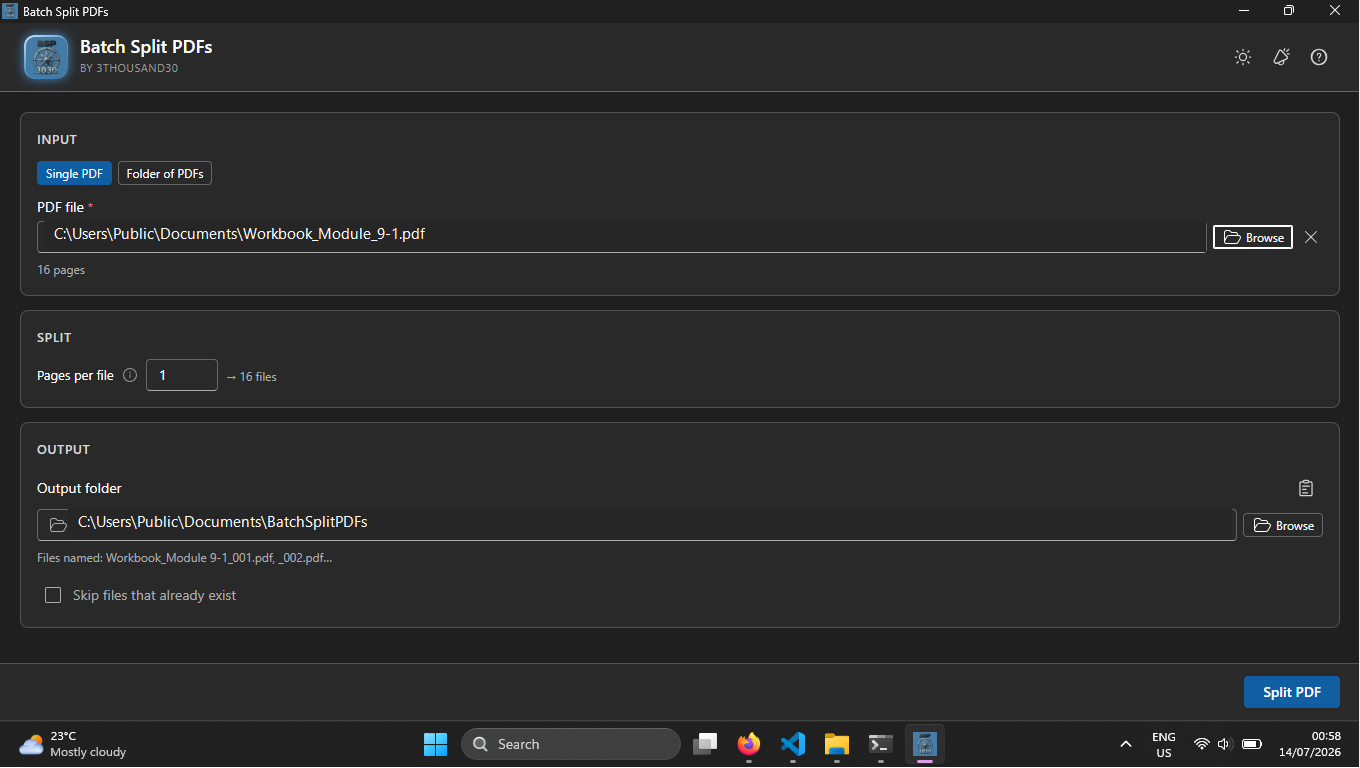
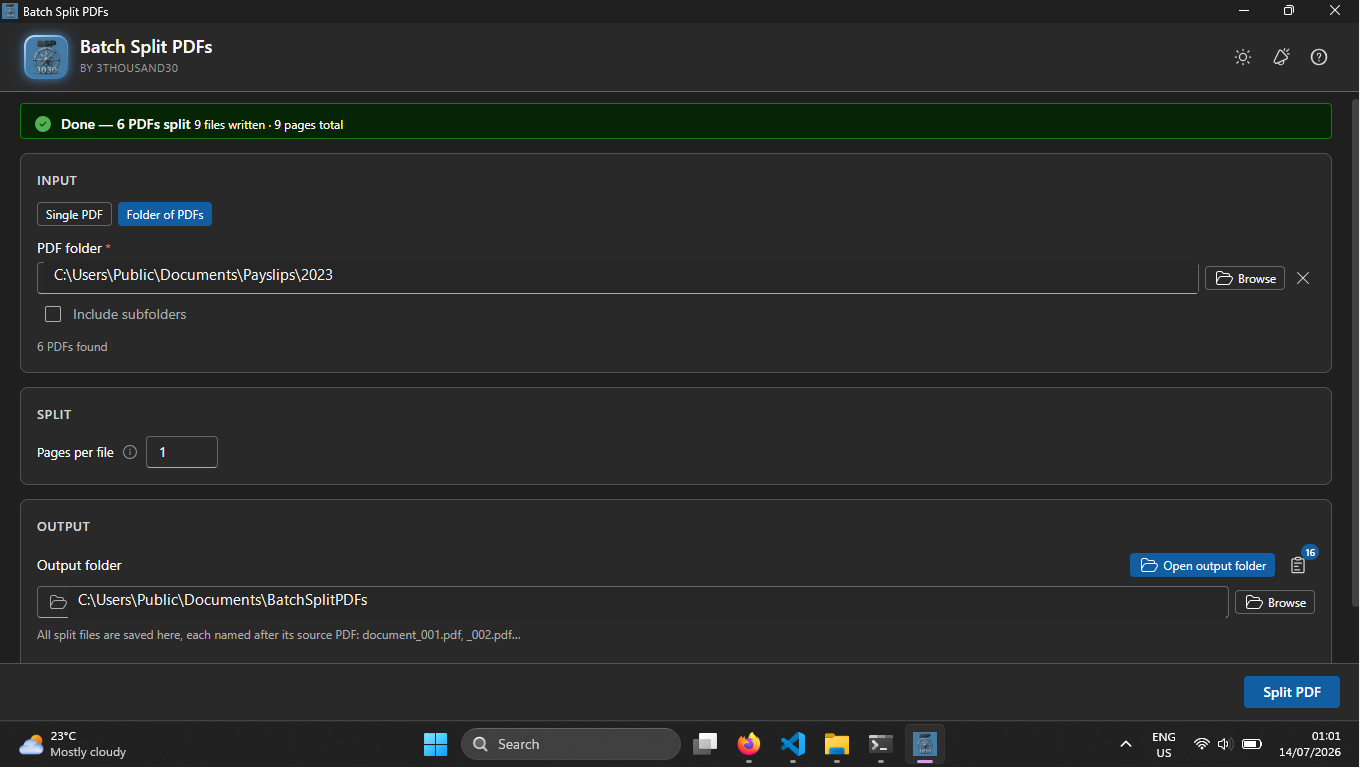
Batch Split PDFs handles both the one-document job and the folder-wide job. Choose one page per output or a fixed number of pages per chunk, then follow the local batch without opening each PDF individually.
what_it_does
Split one PDF into individual pages
Split one PDF into fixed-size chunks
Process all PDFs in a folder
Optionally include nested subfolders
Use automatic numbered output names
Track progress and safely skip existing outputs
inside_the_app
who_it_is_for
privacy_and_control
PDF reading, splitting, and file output happen locally on Windows. No account, subscription, or cloud upload by 3thousand30 is required.
use_it_for
PDF & file workflows
Turn every PDF in a Windows folder into predictably named single-page files without uploading the documents or opening them one by one.
Books & publishing
Translate a complete manuscript, review it as a new edition, and rebuild a language-specific print or digital book.
Books & publishing
Develop and review a young-reader story edition, then prepare it in more than one language for home or classroom use.
faq
Yes. Set pages per file to 1.
Yes. Folder mode can optionally include PDFs inside nested folders.
No. The workflow is local.
ready_when_you_are
US Store price: $3.74 (-25%), normally $4.99. Regional pricing may differ.
related_products

Local PDF utility
A lightweight local PDF merger for Windows with alphabetical ordering, folder-based output naming, optional page numbers, progress, and skip-existing support.

Local PDF utility
A local Windows batch PDF maker with flexible page sizes, Markdown rendering, multilingual colour emoji, image pairing, text-over-background pages, combined output, and page numbering.

Local utility
A local Windows file organiser with type/date sorting, hash-based duplicate detection, complete previews, and undo for the last operation.
 tool
tool