workflow://UC-23
6 steps
Social & image production
Resize Hundreds of Images at Once
Resize a large image folder on Windows with one repeatable dimension and crop policy while preserving a separate master set.
BRI
Turn one approved image set into the dimensions each channel needs.
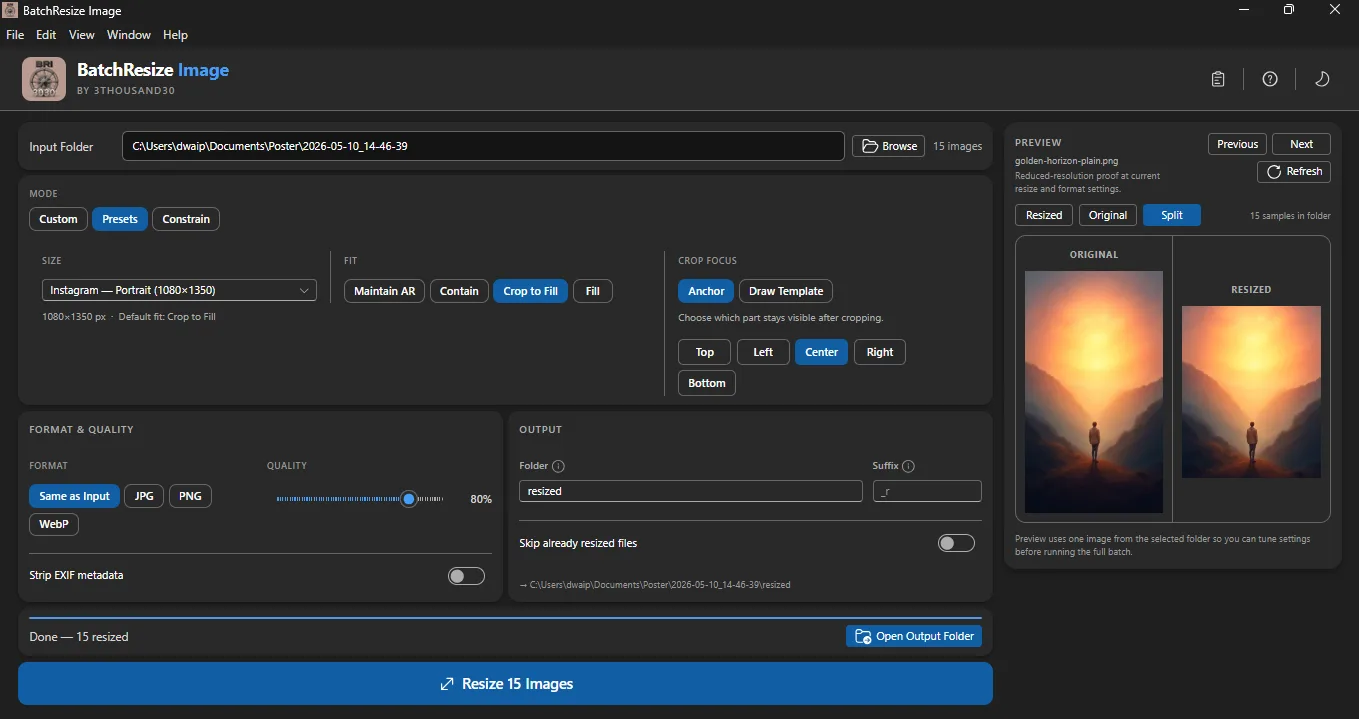
Batch Resize Image handles the repetitive versioning step after the creative work is approved. Choose a target size or preset, check the crop, and process the set locally instead of resizing each file by hand.
what_it_does
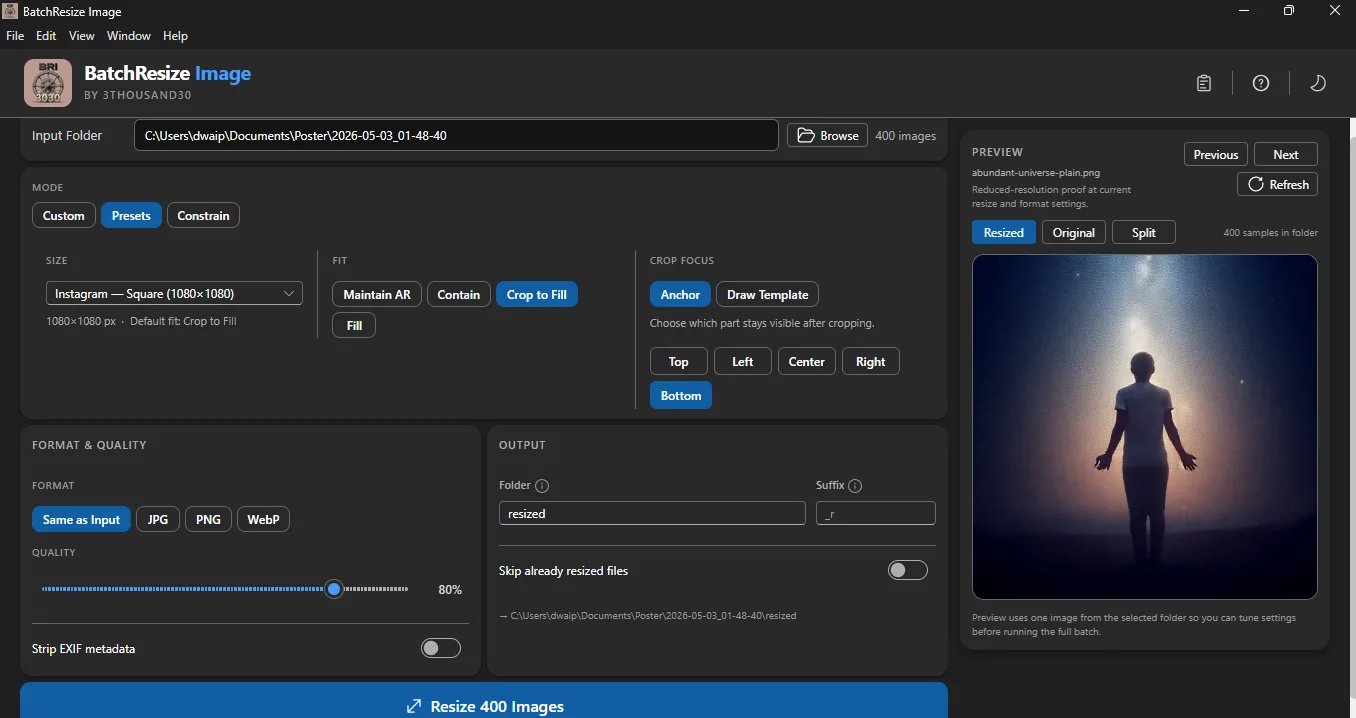
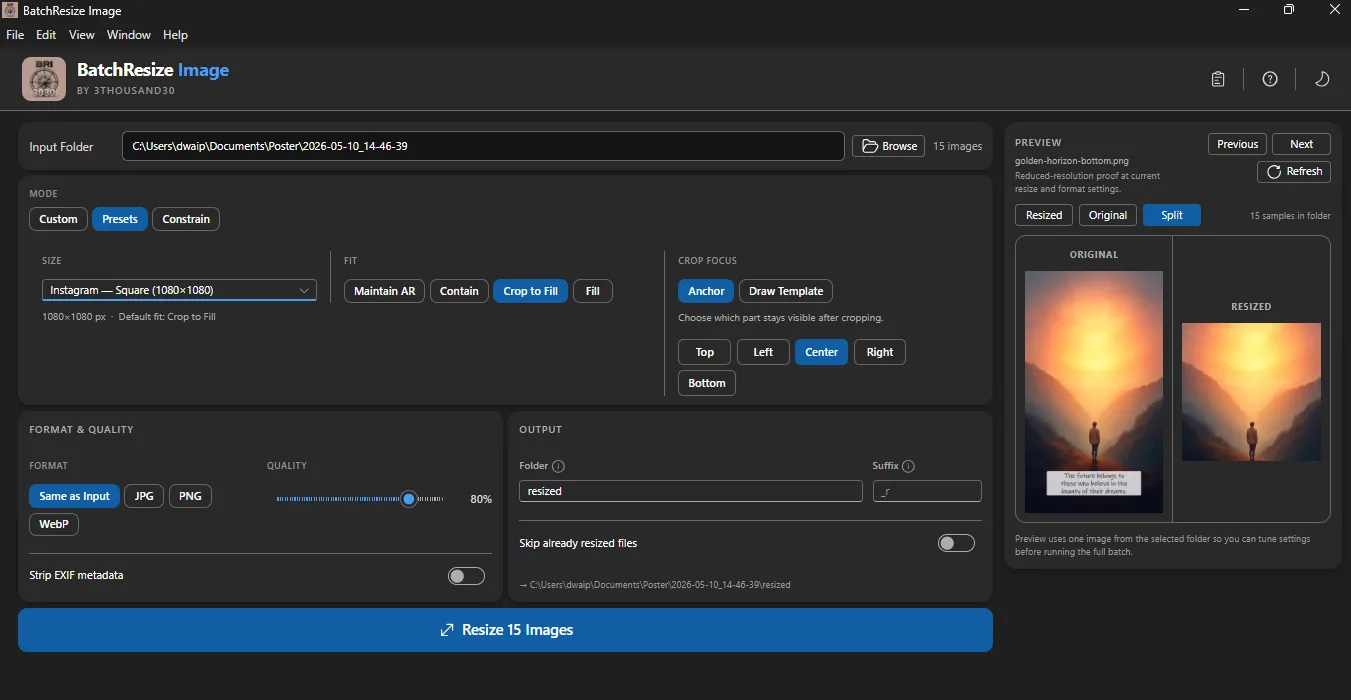
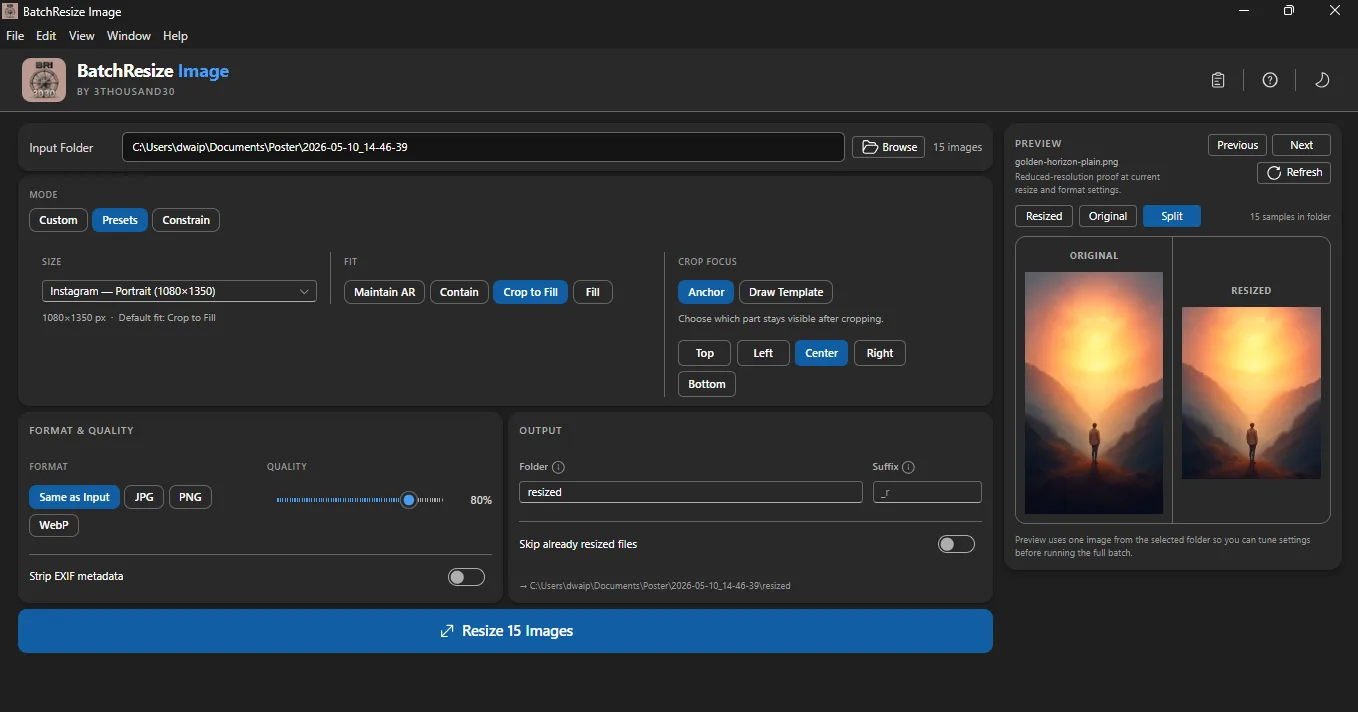
Resize a whole folder in one run
Use practical social, web, email, and marketplace presets
Control crop and aspect-ratio handling
Preview the result before processing
Keep source files separate from outputs
Work without a cloud upload
inside_the_app
who_it_is_for
privacy_and_control
Source images, crop choices, resize settings, and outputs remain on the machine. No account, upload, or telemetry is required.
use_it_for
Social & image production
Resize a large image folder on Windows with one repeatable dimension and crop policy while preserving a separate master set.
Social & image production
Create a consistent square product-image set from mixed source ratios on Windows while reviewing crops that could cut off products, labels, or context.
Social & image production
Turn one approved master set into channel-specific dimensions without manually resizing every image.
Social & image production
Build a reviewed campaign pack containing text, images, platform sizes, and optional marked preview copies.
Social & image production
Generate a coherent visual series for a campaign, challenge, launch, or month-long content plan.
faq
No. Review the preview, especially when faces, text, or products sit close to an edge.
Use a separate output folder so the approved source set remains intact.
No. Resizing is local.
ready_when_you_are
US Store price: $3.74 (-25%), normally $4.99. Regional pricing may differ.
related_products

AI creation
Bulk AI image generation on Windows with your own provider, reusable visual personas, styles, reference images, captions, and local outputs.

Local utility
A fully local Windows batch image compressor with quality controls, before-and-after comparison, and clean output folders.

Local utility
A fully local Windows batch watermarker with text and logo layers, opacity, placement, tiling, preview, and controlled export.
 tool
tool