skip to content
buy once Local video utility Windows

Batch Resize Video

Resize whole video folders locally with platform presets and framing control.

Batch Resize Video creates the shape each delivery needs without uploading footage or resizing clips one by one. Choose exact dimensions or a platform preset, decide whether to preserve the whole frame or crop it to fill, preview a real frame, then create separate MP4 copies.

what_it_does

A focused workflow, not a suite you have to rent.

Resize a whole folder of common video files in one batch

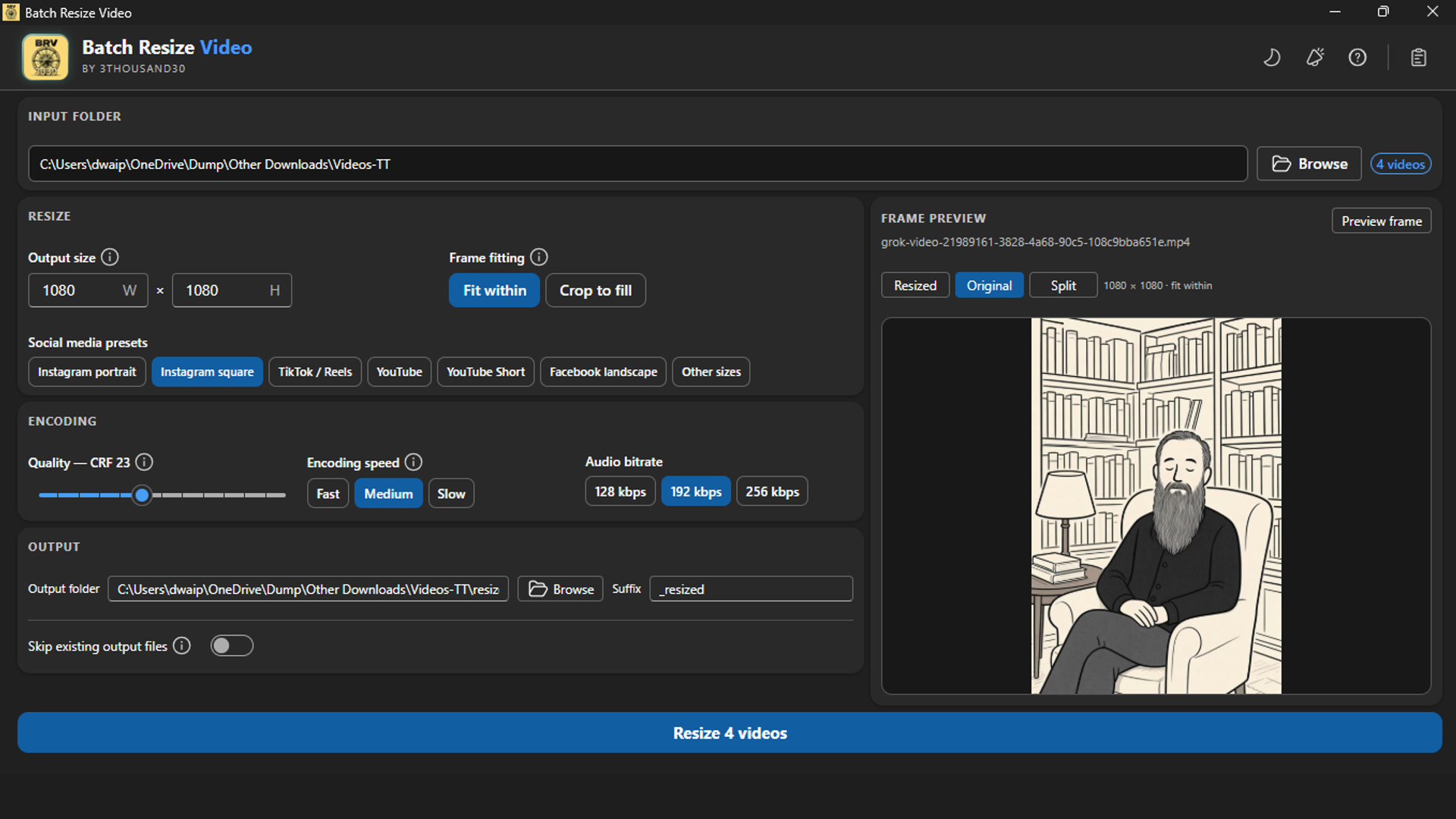
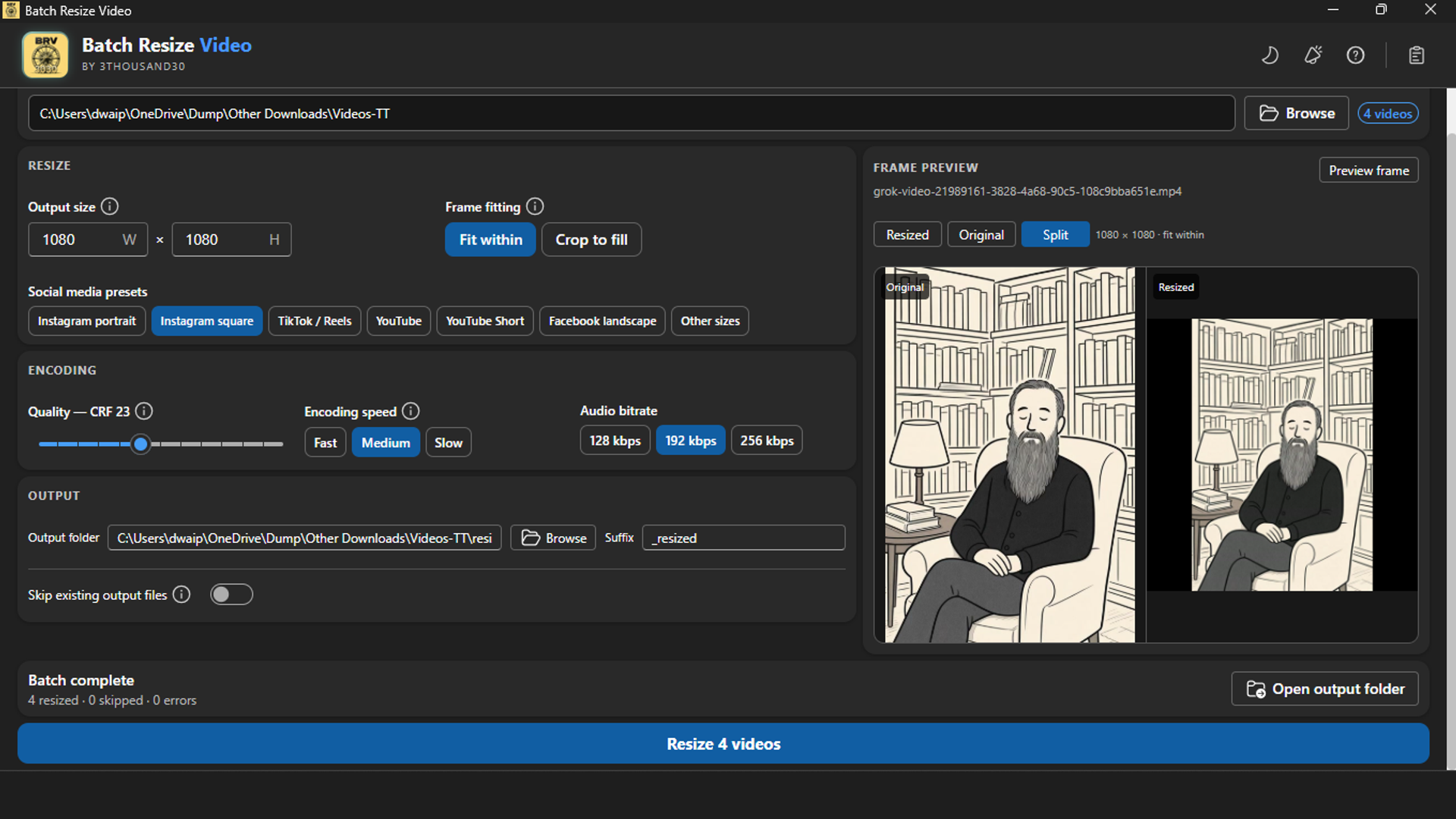
Enter exact even-pixel dimensions or choose social-media and common video-size presets

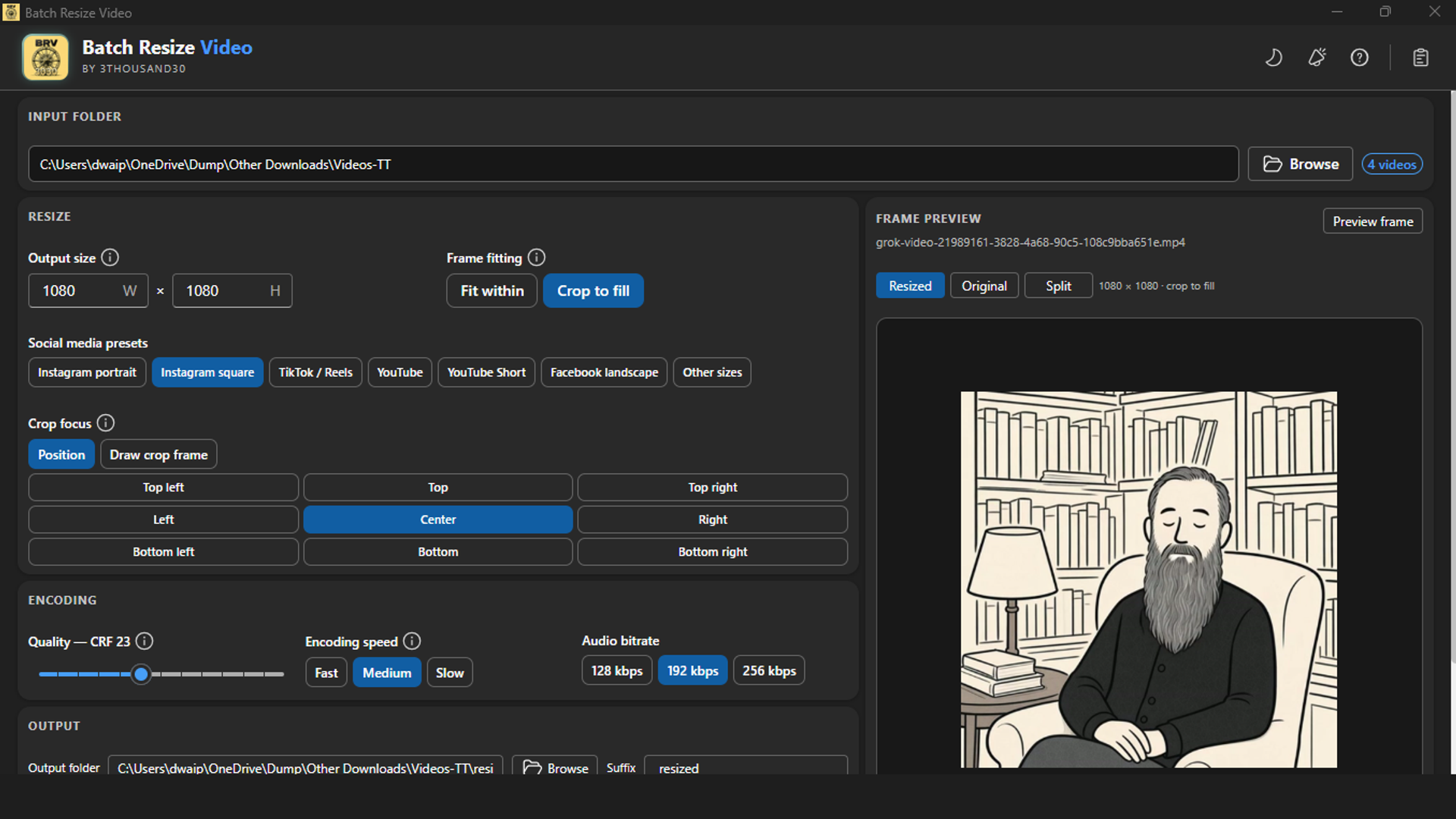
Use Fit within to keep the full frame or Crop to fill for edge-to-edge output

Choose a nine-point crop focus or draw a locked-aspect crop frame on a real preview

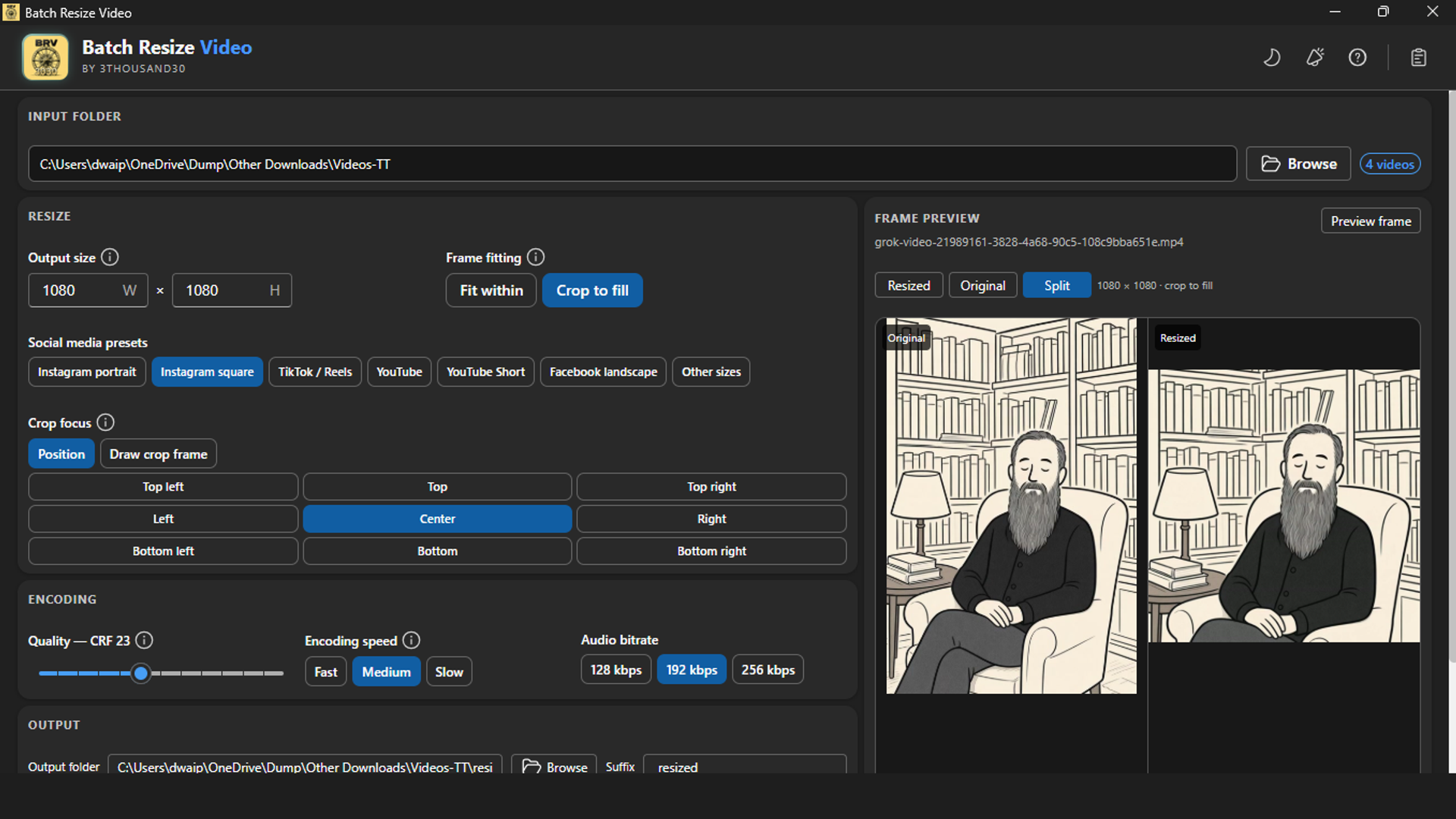
Compare Original, Resized, and Split real-frame views before starting

Choose CRF quality, encoding speed, audio bitrate, output folder, suffix, and skip-existing behavior

Create broadly compatible H.264/AAC MP4 copies while keeping originals separate

inside_the_app

See the actual Windows workflow

Batch Resize Video exact dimensions and preset controls
Resize a video folder with exact dimensions.
Batch Resize Video crop focus controls and real-frame preview
Choose crop focus for an edge-to-edge resize.
Batch Resize Video Original, Resized, and Split preview comparison
Compare original and resized frames before processing.
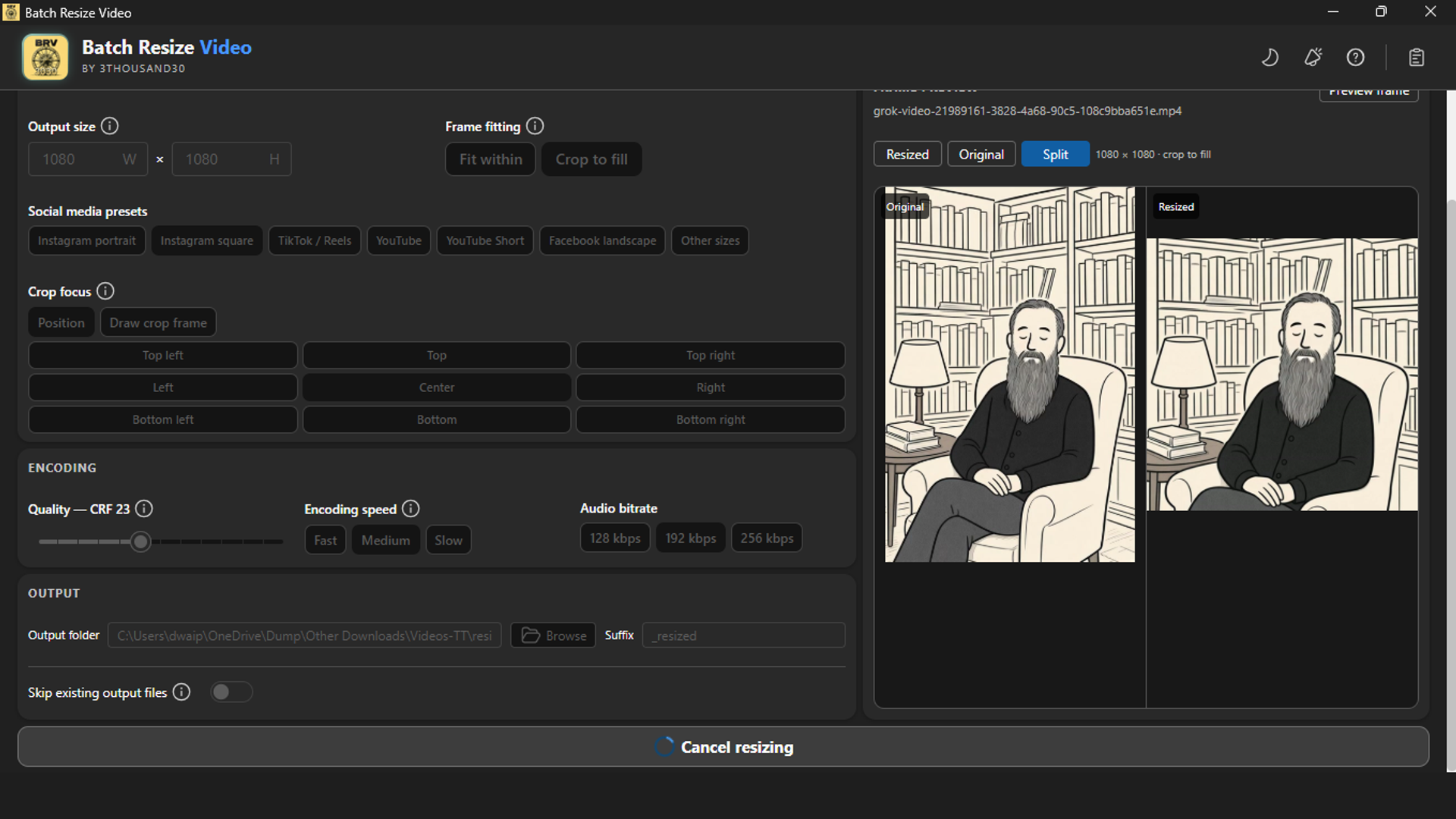
Batch Resize Video batch progress and cancel control
Track resize progress across the folder.
Batch Resize Video completed output summary and open-output action
Review the completed resized copies.

who_it_is_for

  • Creators preparing vertical, square, and landscape versions from one approved video set
  • Social teams packaging recurring platform delivery folders
  • Editors who need predictable crop framing without uploading footage

privacy_and_control

Fully local

Video decoding, real-frame previews, crop rendering, and output creation run on the PC with the bundled FFmpeg engine. Source videos are not uploaded to a 3thousand30 service.

use_it_for

Practical workflows

all use cases →
workflow://UC-39 8 steps

Social & video production

Prepare Videos for Social Media Platforms

Turn one approved video set into vertical, square, and landscape delivery copies, with optional ownership marks and smaller sharing files, without recreating the workflow for every clip.

BRVBWVBCV

faq

Straight answers

Does resizing improve a smaller source video?

No. A larger output frame can meet a delivery requirement, but it does not create new visual detail in smaller source footage.

Should I use Fit within or Crop to fill?

Use Fit within when every part of the original frame must remain visible. Use Crop to fill when the target frame must be completely filled, then inspect the real-frame preview.

Are source videos changed?

No. Batch Resize Video writes separate MP4 copies to the output folder you choose.

ready_when_you_are

Own Batch Resize Video and keep the workflow.

US Store price: $7.49 (-25%), normally $9.99. Regional pricing may differ.

related_products

toolapp://bwv US Store price $7.49, 25% off the original $9.99
Batch Watermark Video logo

Local video utility

Batch Watermark Video

A local Windows batch video watermarker with text and logo marks, nine placements, motion paths, real-frame preview, and safe MP4 output copies.

videorightssharing
// buy once view app →
toolapp://bcv US Store price $7.49, 25% off the original $9.99
Batch Compress Video logo

Local video utility

Batch Compress Video

A local Windows batch video compressor for common video files, with MP4 or WebM output and a clear space-saved summary.

videostoragesharing
// buy once view app →
toolapp://bri US Store price $3.74, 25% off the original $4.99
Batch Resize Image logo

Local utility

Batch Resize Image

A local Windows batch image resizer with platform presets, crop controls, live preview, and predictable folder output.

imagessocialweb
// buy once view app →

share

Pass this page on

Choose where to share it.