
workflow://UC-19
6 steps
PDF & file workflows
Compress PDFs Without Uploading Them
Reduce PDF file sizes on Windows while keeping private documents on the device and preserving the original files.
BCP
Make batches of PDFs smaller on your PC without uploading them.
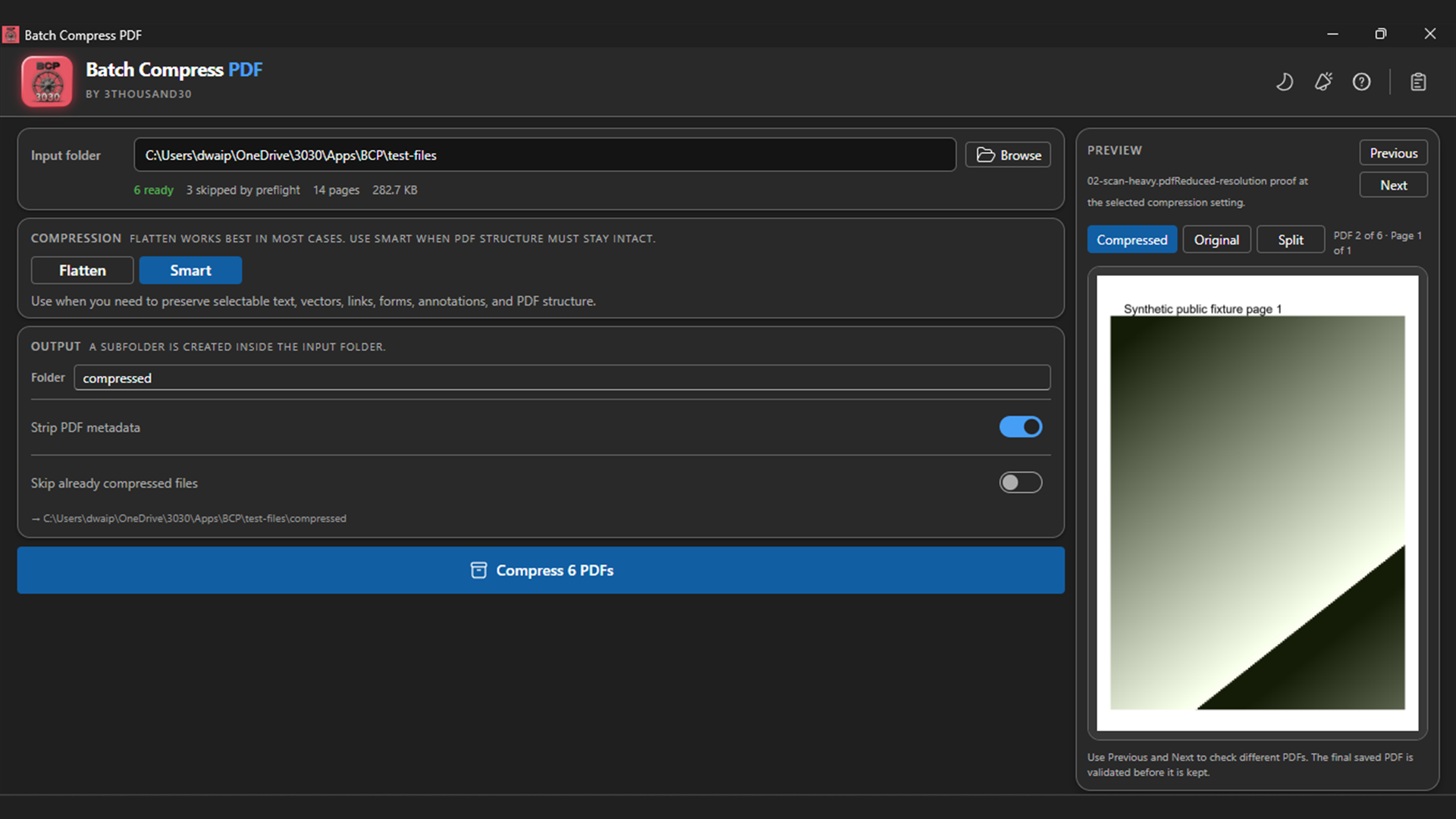
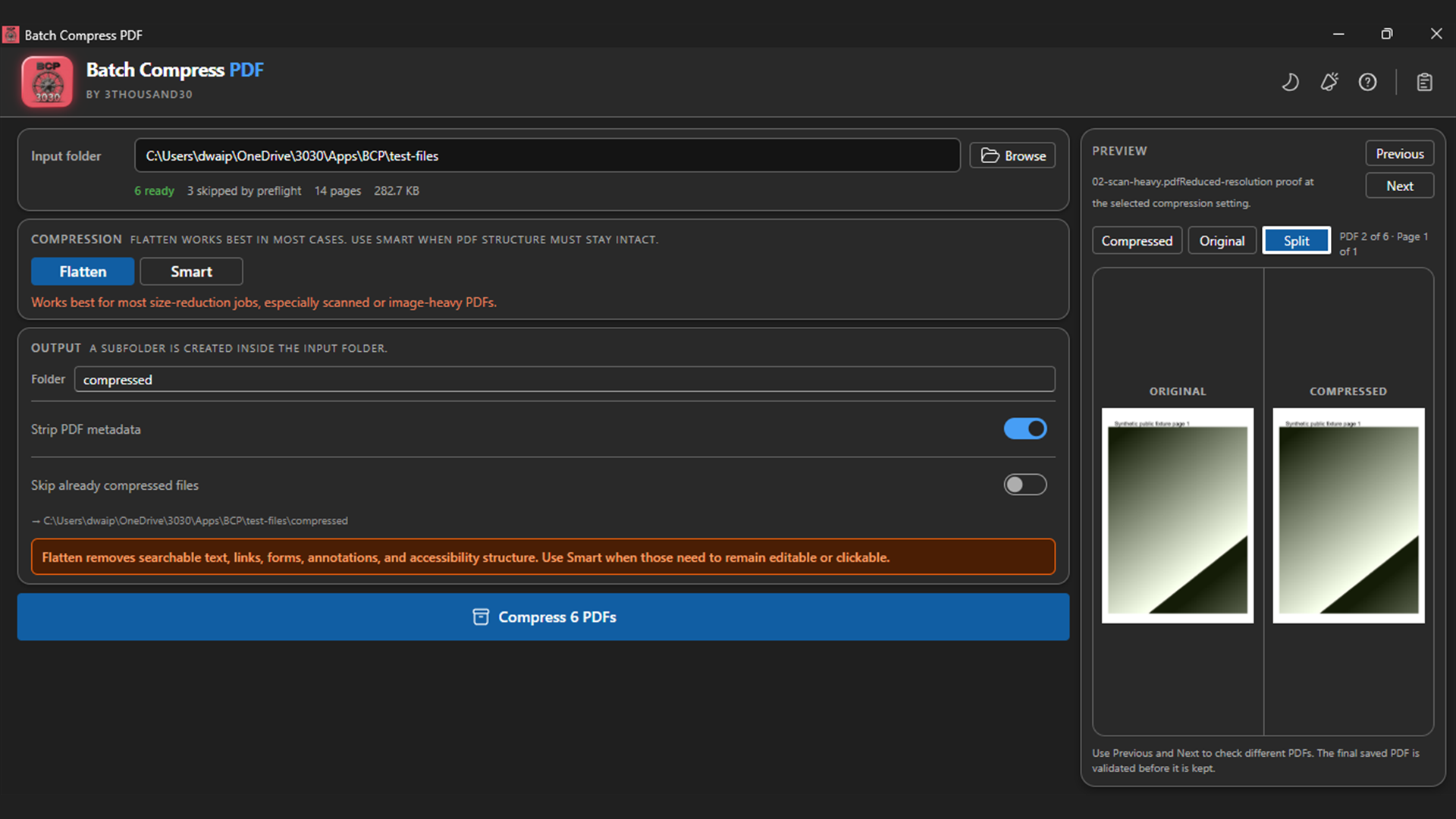
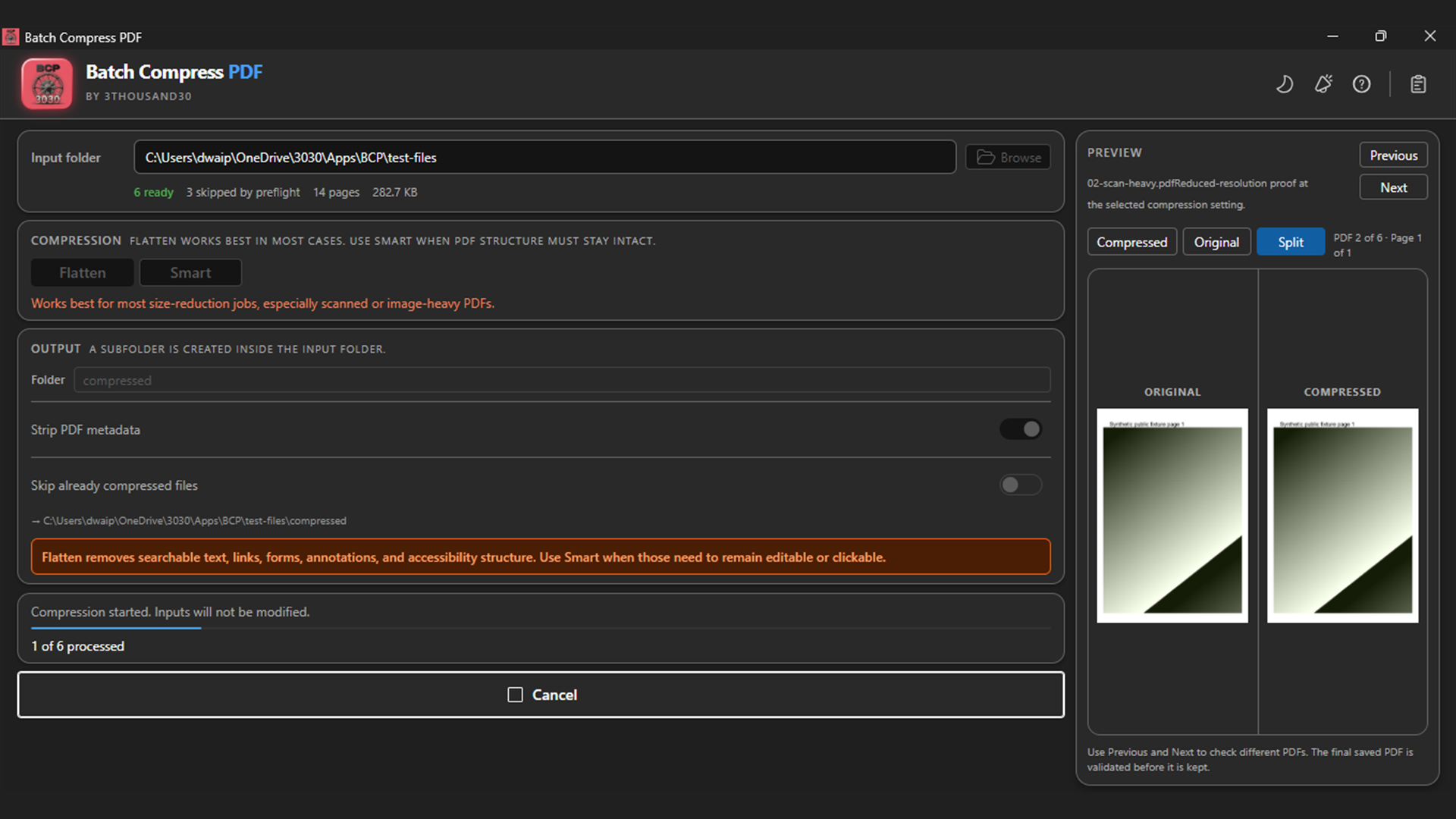
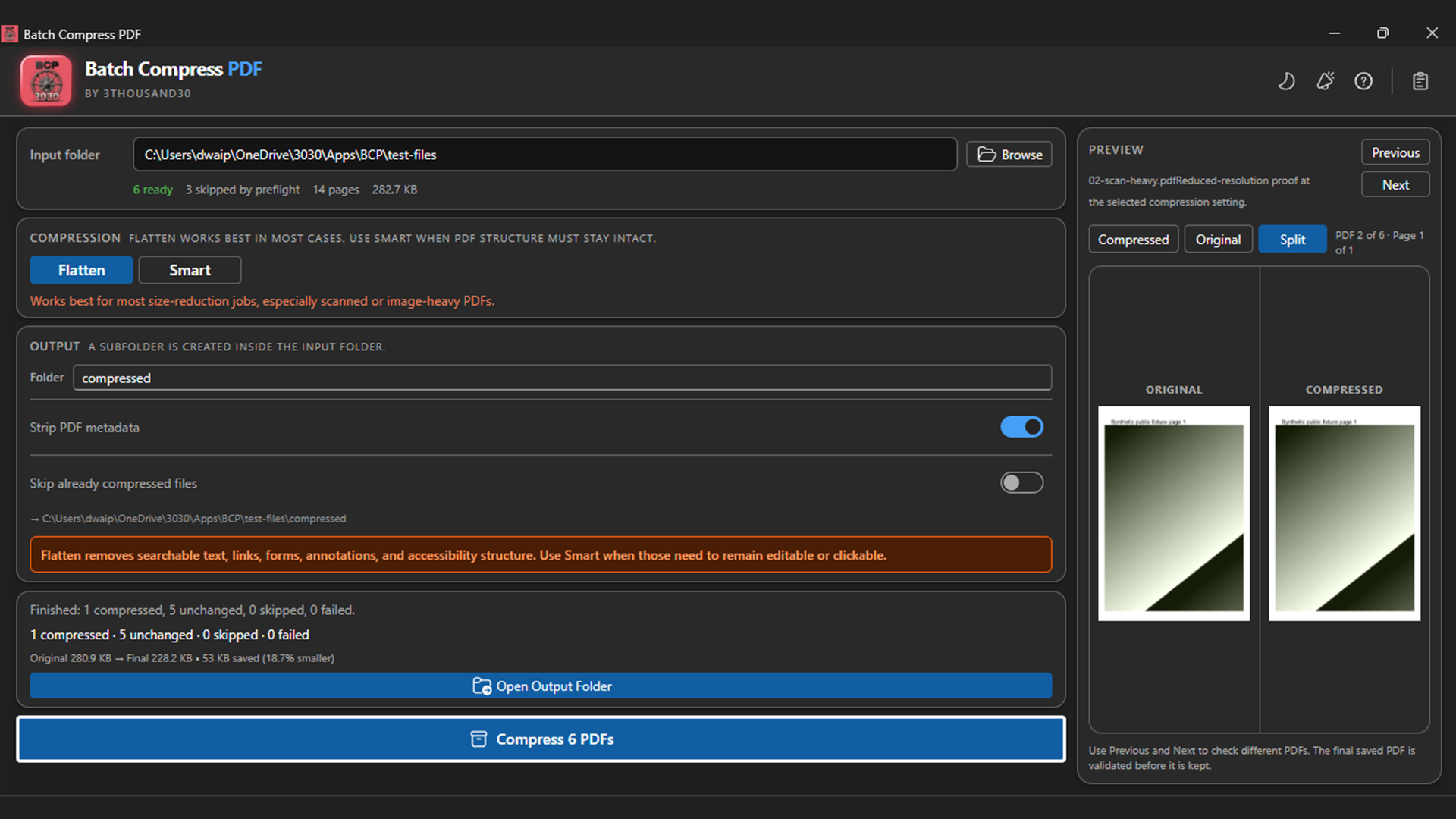
Batch Compress PDF reduces document sets locally. Flatten works best for most size-reduction jobs, especially scanned or image-heavy PDFs, by creating page-image copies. Smart is available when selectable text, links, forms, annotations, and PDF structure need to remain intact. Encrypted and signed files are skipped, inputs are never overwritten, and a larger candidate is never retained.
what_it_does
Compress individual PDFs, selections, or folders
Use Flatten for strong reduction on scanned or image-heavy PDFs
Use Smart when text, links, forms, annotations, and PDF structure must remain intact
See clear warnings before creating page-image copies
Compare Original, Processed, and Split previews
Keep inputs safe with validation, temporary outputs, and collision-safe names
inside_the_app
who_it_is_for
privacy_and_control
PDF contents remain on the PC. No account, document upload, advertising SDK, or product analytics is required for compression.
use_it_for
PDF & file workflows
Reduce PDF file sizes on Windows while keeping private documents on the device and preserving the original files.
PDF & file workflows
Use Flatten to reduce scan-heavy PDFs, then compare readability and file size before email or archive use.
faq
No. Compression and preview rendering run locally on the Windows PC.
Flatten renders pages into page images. It is separate because selectable text, links, forms, tags, and signatures are not retained.
The app validates candidates and keeps the original bytes whenever an optimised candidate would be larger.
ready_when_you_are
US Store price: $3.74 (-25%), normally $4.99. Regional pricing may differ.
related_products
Local PDF utility
A local Windows batch watermarker for text, PNG, JPEG, combined marks, placement, opacity, rotation, edge margin, tiling, page ranges, and layering.
Local PDF utility
A local Windows batch PDF protector: one password locks a batch of PDFs with AES-256 so nobody without it can open the content, and Unprotect mode removes that protection again given the password.
Local PDF utility
A lightweight PDF splitter for Windows with single-file and folder modes, optional subfolder scanning, pages-per-file control, and predictable output names.
 tool
tool